EASY WAY TO PREVENT MOBILE PHONES FROM HANGING

0 comments
Today, I saw a friend of mine crying that his phone has been damaged ßecause of Virus.
This is what have led many of us to waste thier money on flashing phones by technicians. Most atimes, your phone cannot boot unlike before, Open some certain Applications, trip off by itself. E.t.c

Have You ever Trace the source of problem?
Now let me outline the major cause and its solutions.

CAUSES OF PHONE HANGING

I.
A case where you have too many application on your phone memory.

2.
A Suitation where Your
'Recieved Files' is full.

3.
Over copying of application still on your phone memory.

SOLUTIONS TO PHONE HANGING

1

Make sure you clear every bugs on your Recieved files'

2.
Make sure that your phone memory will not exceed
2.5 mb to 3.0mb

To know YouR memory Status:::

Goto 'Menu' 'Aplication, click Option scroll down to
'Memory Status' click on 'Phone' or 'Device'
you will see the

* Free Memory, Used memory and overall memory

the same thing is applicable to when you wanna check the actual memory Status.

After this precautions, You can control your phone and Memory status.

CHEERS!

GET YOUR FAVOURITE APPLICATION TO YOUR PHONES

0 comments
IT'S ALWAYS OUR DELIGHT TO SHARE WITH YOU USEFUL APPLICATION THAT CAN MAKE YOU HAPPY.

FOLLOW THE BELOW LINKS TO GET THEM ON YOUR PHONES.


1. Kaspersky Antivirus Detach Virus on your Java phones. And
Click on the below link copy and paste into your web browser and get the main application straight to your mobile phones.

Kaspersky.jar


2.


Love Calculator is a funny and intresting Application which shows the percetange of two lovers. What you have to do is enter your name and your Lover's Name and see the love percentage rate.

ßEloW arE the downloading Links

A.
http://powerfiles.wapka.mobi/site_89.xhtml?get-file=92


After downloading, don't Open, click Option and move down to Rename and change it to .jar

Example:::
Love_calculator_jar to
Love_calculator.jar

i.e. Just clear dash(_) and put dot(.)


B.
Download it in .EXT
It comes in to your phone no need of renaming.

lOve_calculator.EXT


USE THIS LINK TO INVITE YOUR FRIENDS TO OUR PAGE

http://www.facebook.com/loadedjakablog


I hope You are really happy? Why not share and click the Like button

CHEERS!

READ YOUR FRIEND'S TEXT MESSAGES WITHOUT OPENING IT

0 comments
Yeah!
I know it will sound funny to most of us but this is a little trick to show your friend that you are really smart enough to his or her phone.

HOW TO READ TEXT MESSAGES WITHOUT OPENING THEM

To some of us, it might not be new, but for newbies follow the little steps below.

1.
When the text message lands on the cell phone, ignore 'VIEW' click 'EXIT'

2.
Goto menu, select Message and Open your inbox.After that, you will see the newest message that you have just recieved, ignore 'OPEN' and click 'OPTION' scroll down a little bit to 'EDIT' then click on 'SELECT'

Finally, you will see the message on your friend's phone, start reading, after that, if you want to exit just goto 'OPTION' scroll to the 'EXIT EDITOR' and you're out rightaway.
The funniest aspect of this phone trick, is that the text message icon on your phone screen will still be displaying unread, whereas, you have saw everything.


NOTE:-

Please this trick will only work on Java(s40 series) like Nokia 2700, 5130 xpressmusic. E.t.c.


IF YOU LIKE THIS FUNNY TRICKS SHARE IT OUT AND MAKE YOUR COMMENT BELOW.

CHEERS!


HOW TO CONVERT YOUR DOT JAR FILE TO DOT EXE ON PC

2 comments
You are here again to learn another trick which I used to convert my Opera5.2.jar to Opera5.2.exe on a Pc.
It is obvious that with the help of this software known as

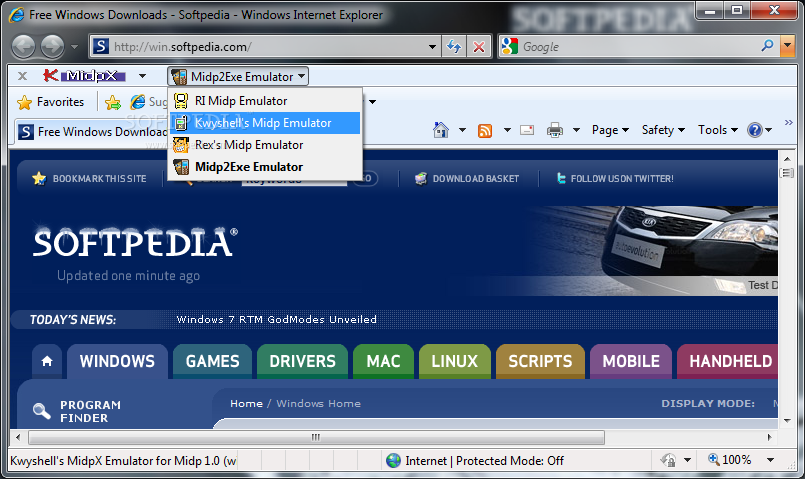
MIDP2EXE

That means with the presence of this powerful software on your PC, you can

1. 2go on your PC

2. Use your mobile Opera4.2,5.2,7.0,6.5 e.t.c all on your PC.

*
WHAT DO I MEAN BY DOT JAR (.jar) FILE?

Answer: JAR (Java Archive) is an archive file format typically used to combine many java class files and associated Metadata examples: text, images e.t.c
into One file distribute softwares, applications on the java platform

NB:- Java Files are mostly build on the Zip file format and have the dot (.jar) file extention.

Example of a jar format==>

Download Nigerian Current Affairs
Nigerian Current Affairs.JAR

You can Learn More On JAR filesCLICK HERE

* *
WHAT DO I MEAN BY DOT EXE?

ANSWERS:-
Exe means Executable program files created for Windows or DOS operating Systems, runs when opened and should execute when double-clicked. It can also be a self archive that extracts files to a specified location.

These Exe files cannot run in Mac OSX, but can be run using emulation softwares such as Parallels Desktop for Intel-based Macs, Darwine and Crossover has the capability of opening some window programms on your Pc.


Download Darwine HERE
Learn More on Exe Files
CLICK HERE


STEPS TO CONVERT YOUR DOT(.JAR) FILES TO DOT (.EXE) ON YOUR COMPUTER SETS


1.
First of all most is to have MIDP2EXE


software on your Pc, If you have it lets go If not, download one CLICK ME
oR www.4shared.com/rar/BsGIPp4N/Midp2Exe.html

2.
You need A Java Runtime Software,


You can as well goto
www.java.com
To have the Latest version or Download it HERE

3.
Get your Java application you want use on your Pc such as 2go,


opera,ucweb e.t.c

4.
Get Your Pc Ready


with you.

5.
Open the Midp2exe folder and you will see two files, extract its content to 'DESKTOP'

6.
Goto 'MY COMPUTER' ==>DOCUMENTS ==>SETTINGS==>USER (The name of the user logged in) then create a new folder using this name "MIDP"

7.
Copy and paste the two files that you extracted to the DESKTOP to that folder "MIDP", after that, you then copy the .jar applications you want to convert

8.

Open command prompt by either pressing CTRL + R oR START ==> Run then type "Cmd" and click enter

9.

Now, type 'Cd midp' press Enter<== Dir press Enter<==
When you type this two things, the content of the folder "MIDP" will be shown which should contain the two files we extracted and the .(dot jar) file we want to convert.

10.

Now, type 'Midp2exe_jar that is
2go.jar (name of that .jar file you wanna convert) to 2go.exe(the new name you want the .jar file to change to) and press enter, in few seconds, that JAR file will be converted into .(dot)EXE
Example:
2go _handleR.jar converted to
2go_handleR.exe
you will get a successful message, Now you can close the command prompt and goto the folder "MIDP" open the Jar file you converted.

NOW START ENJOYING YOUR 2GO LIKE NEVER BEFORE ON YOUR PC


YOU CAN ADD ME ON 2GO WITH

Kind47


Don't leave here without droping a Comment and remeber to share this Tutorial to your friends outside there


CHEERS!!!

ALTERNATIVE WAY TO CHECK YAHOO MAIL ON YOUR MOBILE DEVICE

9 comments
For a long time now, i can't remember when last I check my email with my phone due to some restriction from Yahoo servers. The other day I gave out a post on how you can check your box by bypassing their server through all these free proxies like Vtunnel.com which I relied on.
Perhaps, some people get fed up on seen the disappointment they get whenever they want login with their phones, Am introducing you a java script that doesn't need you bypass anything, what you need is copy and past the java script on your Opera browser, click on "MAIL" enter your login details you will not be logged in,don't worry much if you have a Gmail account, you click on it enter your gmail login details and you will be taking straight to your box. Moreso, you can login using your Facebook account but if you don't understand the measures to review your account Facebook blocks that your account, until you review your account as prompted. My advice is don't use facebook else you damage your account, gmail is more easier to login with.

Therefore, that takes me to showing you those measures to take when you want to check your yahoo mail account on your mobile device. Below screenshot also, shows you how I login easily with my lovely NOKIA 2700 classic. I can assure you, once logged in on one browser, bookmark that page for easy access to your box anytime you wishes .


STEPS:

1.
Enter this java script
[[[ http://m.yahoo.com/?.tsrc=yahoo&mobile_view_default=true ]]]

OR or Open this link
Yahoo Mail


copy and paste it
into your Opera browser just like the below image


2.

The next page takes you to Yahoo website, click on 'MAIL' at the top right of the page as shown below


3. You will notice an error when login in, just ignore it, scroll down and click on 'GMAIL' this means that you want to use an alternative method to access your box. See below


4.
Next is to login with your gmail details just like shown below.
If you had fortify or beaf up your gmail account already, You are to verify or confirm your account before you login successfully.


5. After your successful login into your gmail account, believe me you will be surprise to see your Yahoo mail box.


This is a trick That helps me access my mail with my phone, and with the above steps, you also will benefit from it.


N .B :

As for me, I bookmarked my box so that whenever I need to access my box it takes me straight to my box. Moreso, Make sure you're accessing your mail on a particular browser if not, your account will be complicated and may lead to blocking your Account. Like I said earlier, Don't try it using Facebook else you are on PC.


If you have benefited from this post, use the SHARE button
LIKE MY PAGE AND DROP ANY BUGGS FOR IMEDIATE SOLUTIONS

Marx Updates

CHEERS!!!
Reliable Web Hosting in Nigeria by DomainKing.NG